vPenTest API
NAVIGATION My Account > My Settings > Generate API key
This feature is available to all vPenTest customers, including MSP partners and internal IT teams.
The vPenTest API enables direct integration with your existing systems or internal tools, eliminating the need for manual platform interaction. Developers can easily connect vPenTest to internal tools and workflows by pulling data such as organizations, schedules, download URLs for all report types, and more.
Step 1: Generate an API key in vPenTest
- In the upper-right corner of the header, click your profile name (My Account) and select My Settings.
- On the My Settings page, click the API Key tab.
- Click Generate API Key.
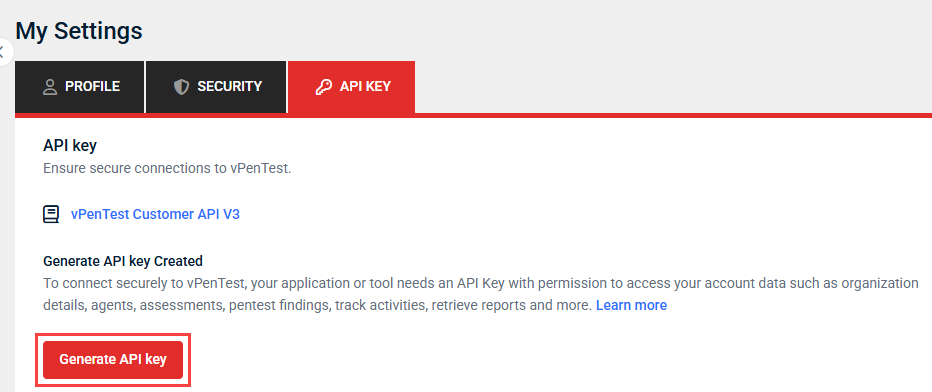
- If you want your key to expire on a certain date, clear the No expiration date checkbox, and then click the Expiration date field to select an expiration date from the calendar. Otherwise, leave the checkbox selected to generate a key that will not expire unless you create a new one to replace it.
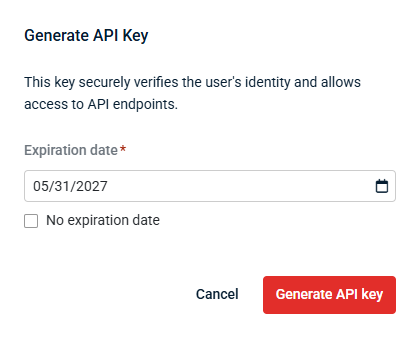
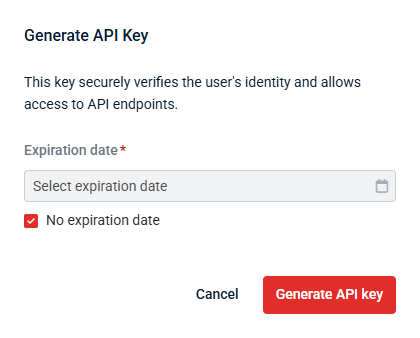
- Click Generate API key.
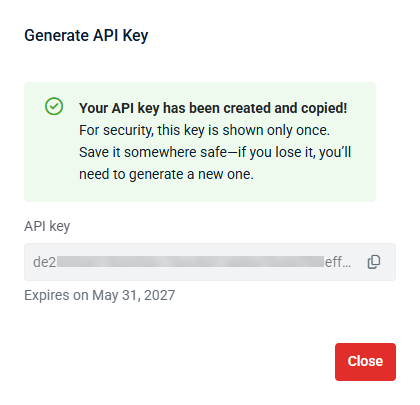
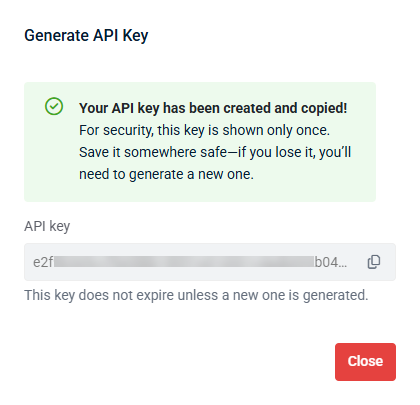
- The API key field is populated with a unique key. Click the copy icon
 to copy the key to your clipboard.
 - Store the API key in a secure location, such as a password manager or encrypted configuration file. Treat the key like a password, as it provides authenticated access to the vPenTest API.
- Once you've copied and stored the key, click Close.
IMPORTANT Be sure to promptly copy the API key. The key is no longer copyable or visible to you after closing out of this window. However, you can generate an API key any time to safely replace the existing one.
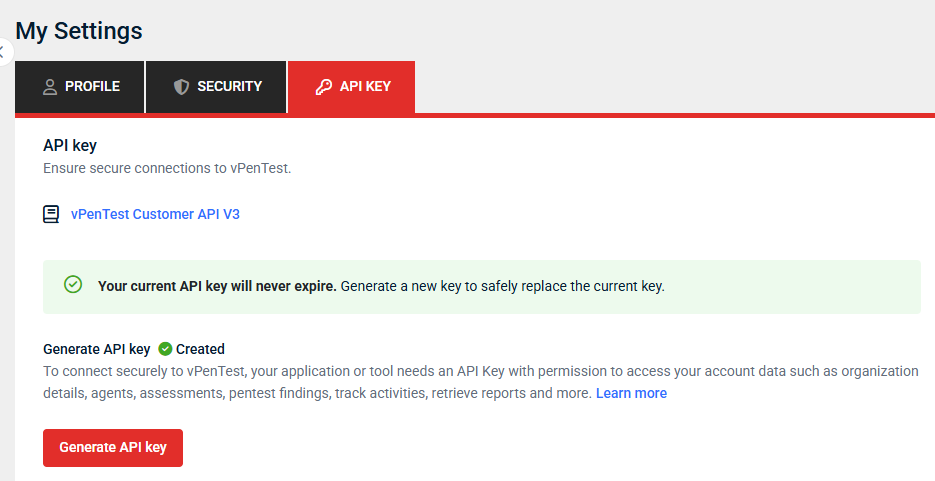
In the API Key tab, a callout and checkmark icon  indicate you have an API key generated and currently available for use. To replace it any time, click Generate API key and repeat the preceding steps.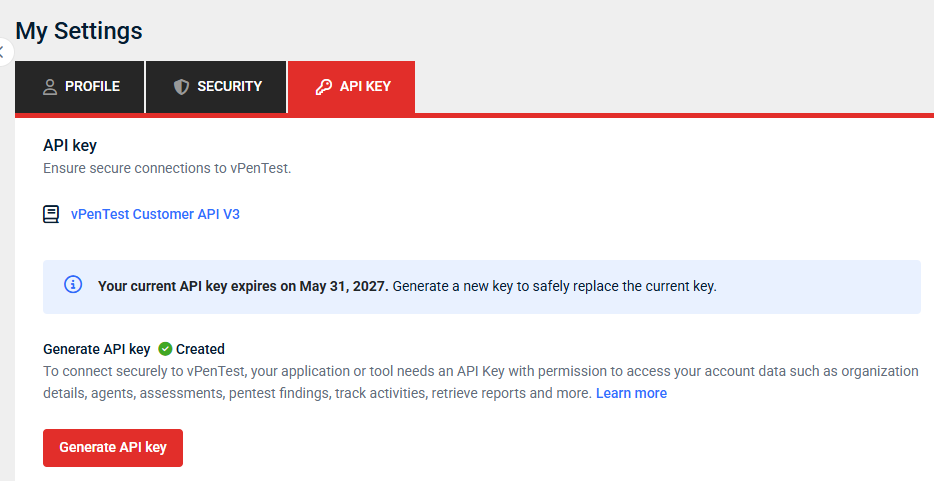
Step 2: Authorize the API key in the API documentation
Once your API key is generated, navigate to the vPenTest public API. Before you can interact with the API, you must authorize your session as follows:
- Click Authorize in the upper-right corner of the page.
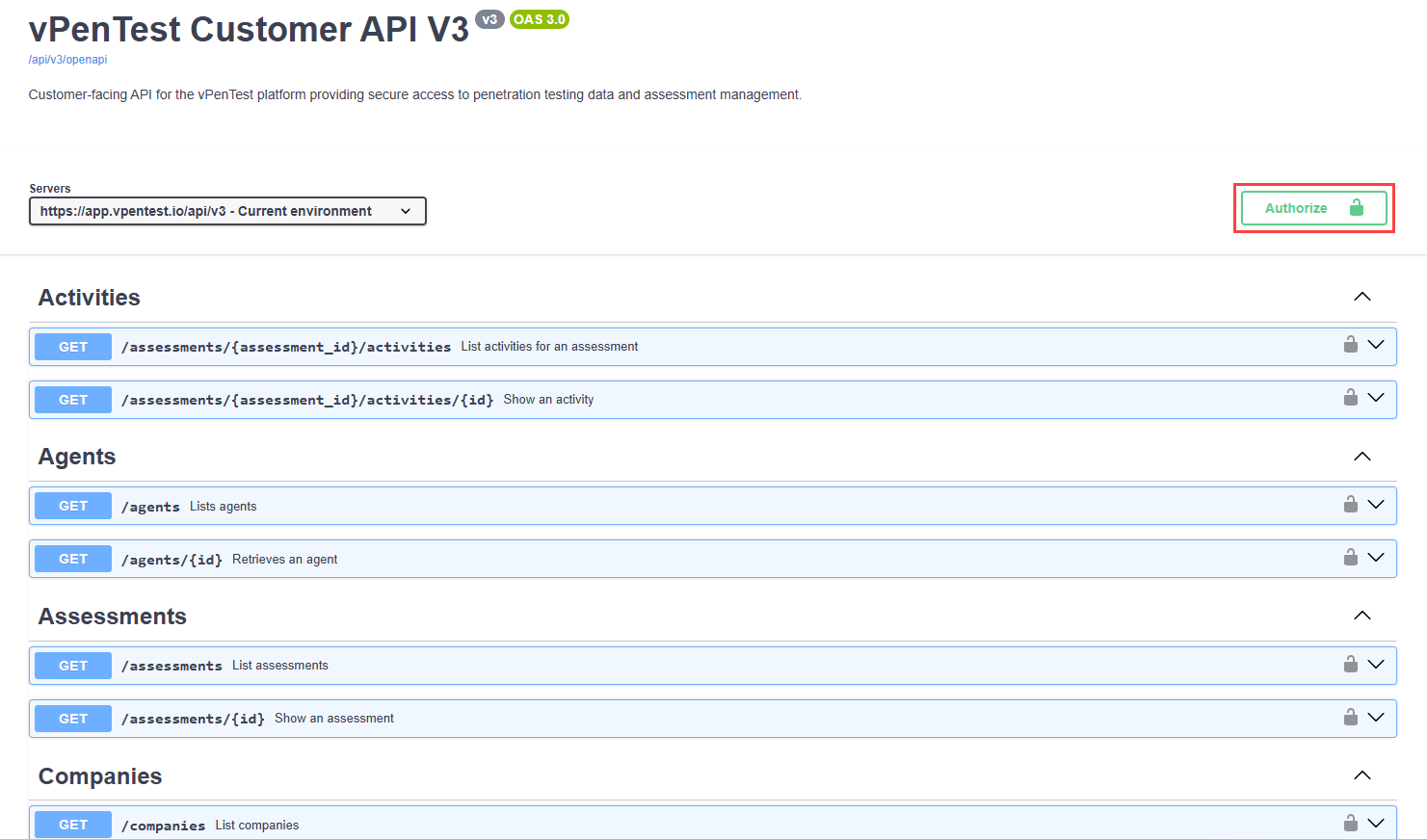
- Enter the API key generated in Step 1: Generate an API key in vPenTest.
Once authorized, the API allows you to explore and test available endpoints.
Example usage
To authenticate API requests, include your API key in the Authorization header using the Bearer token format. Below are some examples demonstrating how to use your API key with different programming languages.
List All Assessments (cURL)
curl -X GET "https://app.vpentest.io/api/v3/assessments" \
	-H "Authorization: Bearer YOUR_API_KEY_HERE" \
	-H "Content-Type: application/json"
Response
{
 "data": [
  {
   "id": "24b38497-01cd-4539-a7d5-4f4b0ced2228",
   "company_id": "789e0123-e89b-12d3-a456-426614174005",
   "name": "External Network Security Assessment",
   "severity": "informational",
   "created_at": "2025-02-24T16:21:22.093Z",
   "updated_at": "2025-02-24T16:44:38.689Z"
  }
 ],
 "total_count": 25,
 "page": 1,
 "per_page": 25,
 "total_pages": 1
}
Get Assessment Findings (Python)
import requests

API_KEY = "YOUR_API_KEY_HERE"
ASSESSMENT_ID = "24b38497-01cd-4539-a7d5-4f4b0ced2228"

headers = {
	"Authorization": f"Bearer {API_KEY}",
	"Content-Type": "application/json"
}

response = requests.get(
	f"https://app.vpentest.io/api/v3/assessments/{ASSESSMENT_ID}/findings",
	headers=headers
)

findings = response.json()
	print(f"Total findings: {findings['total_count']}")

for finding in findings['data']:
print(f"- {finding['name']} (Severity: {finding['severity']})")
Get Report Download URLs (Ruby)
require "net/http"
require "json"
require "uri"

API_KEY  = "YOUR_API_KEY_HERE"
REPORT_ID = "123e4567-e89b-12d3-a456-426614174000"
BASE_URL = "https://app.vpentest.io"

# --- 1) Fetch report metadata (requires API key) ---
api_uri = URI("#{BASE_URL}/api/v3/reports/#{REPORT_ID}")
report = Net::HTTP.start(api_uri.host, api_uri.port, use_ssl: api_uri.scheme == "https") do |http|
	req = Net::HTTP::Get.new(api_uri)
	req["Authorization"] = "Bearer #{API_KEY}"
	res = http.request(req)
	abort "API error #{res.code}: #{res.body[0, 200]}" unless res.is_a?(Net::HTTPSuccess)
	JSON.parse(res.body)
end

file_url = report.dig("data", "executive_summary_url")
abort "No executive_summary_url (report may not include that file yet)." if file_url.nil? || file_url.empty?

# --- 2) Request signed download on app host (same API key) ---
attach_uri = URI(file_url)
attach_res = Net::HTTP.start(attach_uri.host, attach_uri.port, use_ssl: attach_uri.scheme == "https") do |http|
	req = Net::HTTP::Get.new(attach_uri)
	req["Authorization"] = "Bearer #{API_KEY}"
	http.request(req)
end
abort "get_attachment error #{attach_res.code}" unless attach_res.is_a?(Net::HTTPRedirection)
location = attach_res["location"]
abort "Missing Location header after redirect." if location.nil? || location.empty?

# --- 3) Follow redirect to S3 (presigned URL — no Bearer token) ---
# IMPORTANT! This will be an AWS S3 host URL (not the vpentest host), make sure your firewall does not block it
s3_uri = URI(location)
file = Net::HTTP.start(s3_uri.host, s3_uri.port, use_ssl: s3_uri.scheme == "https") do |http|
	req = Net::HTTP::Get.new(s3_uri)
	http.request(req)
end
abort "Download failed #{file.code}: #{file.body[0, 500]}" unless file.is_a?(Net::HTTPSuccess)

File.binwrite("report.bin", file.body) # rename by Content-Type or URL; may be .pdf, .zip, etc.


