vPenTest release notes: August 12, 2025
This release includes a new feature, bug fixes, enhancements, and security improvements.
New Feature
Automated Executive PowerPoint presentations with AI-generated speaker notes
The Executive PowerPoint Presentation provides a high-level overview of your assessment results, focusing on the top three critical findings discovered during the penetration test, designed for presenting to leadership teams and customers. This feature is available for all penetration testing assessments completed after the feature launch date on August 12, 2025. Any assessments completed prior to this date will not include the PPT file.
How it works
-
Once an assessment is completed, navigate to the Reports page.
-
Click the Action button next to the report you want to view
-
Click the View Existing Report action menu item
-
In the report modal, you'll see a new option Executive PowerPoint (PPT).
-
Click Download to download the presentation.
View our support article to learn more and see Sample PPT: Automated executive PowerPoint presentation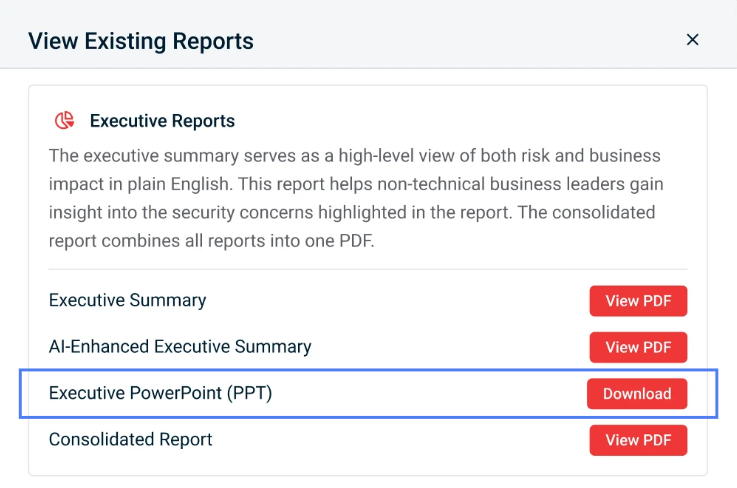
Enhancements
List of previous assessments on Organization Profile page
To reduce confusion around IP deductions, we've updated the data table to show the Completed Date of each assessment instead of the Assessment Date. Since IPs are deducted only after an assessment is completed and reports are released, this change provides a more accurate view of when and how many IPs were used each month.
Terminology
To align terminology across all Kaseya modules for a unified user experience, we updated the term Company to Organization throughout the app.
Partner Dashboard UI
We updated the dashboard UI for all partners for a more unified user experience across all Kaseya products.
Fix
| Category | Description |
|---|---|
| Prospecting Test | For partners on our IP Pool licensing model, we fixed an issue where a prospecting test was incorrectly counted as a full internal penetration test. |


