vPenTest release notes: December 2, 2025
This release includes enhancements, a fix, and security improvements.
Enhancements
New Help menu
-
vPenTest now has a completely revamped in-app Help menu for all users. The new menu is built in React with the latest design standards, features updated links to Knowledge Base, Status, Ideas Portal, Release Notes, and more—and now includes a Provide Feedback option that launches a feedback survey right from the menu.
-
All external links open in a new tab, and the menu is only visible to MSP partners and MME users. This menu will not be visible to child organization users that belongs to an MSP partner.
Old Help menu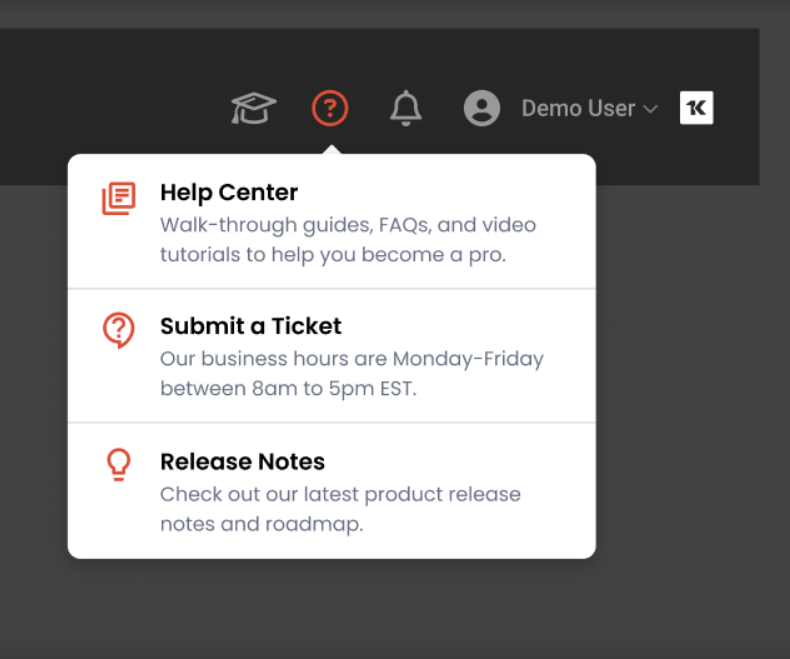
New Help menu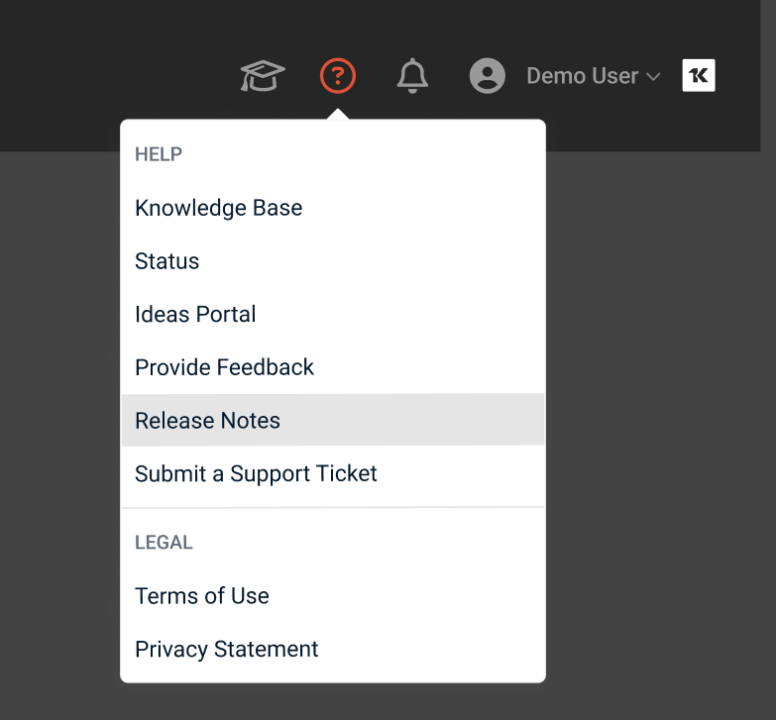
Dark Web ID Reporting: Consistent evidence and positive findings
The way Dark Web ID (DWID) results were displayed in technical reports has been improved. Now, both external and internal assessments consistently show the Reputational Threats section when DWID integration is enabled. Also, if no compromised credentials are found, you’ll see a clear informational finding. So, you always know your organization’s status, even when the news is good.
Activity Logs: View in local or assessment time zone
You can now switch between your local time zone and the assessment’s time zone when viewing activity logs. This makes it easier to compare assessment activity with alert logs and ensures you always have the right context for your investigations.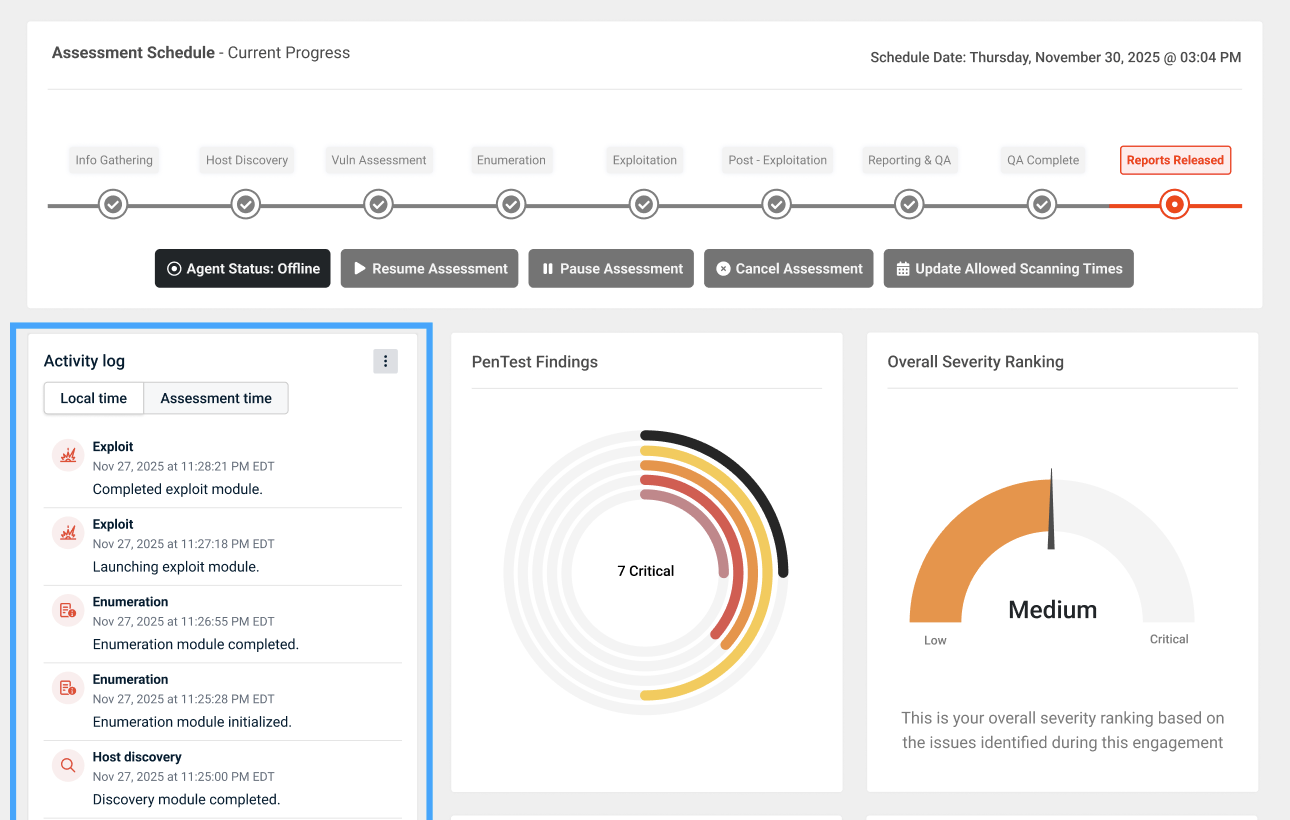
Fix
| Category | Description |
|---|---|
| Download All Reports | Download All Reports now sends email as expected
Fixed an issue where users were not receiving an email when using the Download All Reports option in the Reports tab. Now, when you click Download All Reports, you’ll reliably get an email with the download link—making it easier to access all your assessment results in one zip file. |


