vPenTest release notes: May 28, 2024
New feature
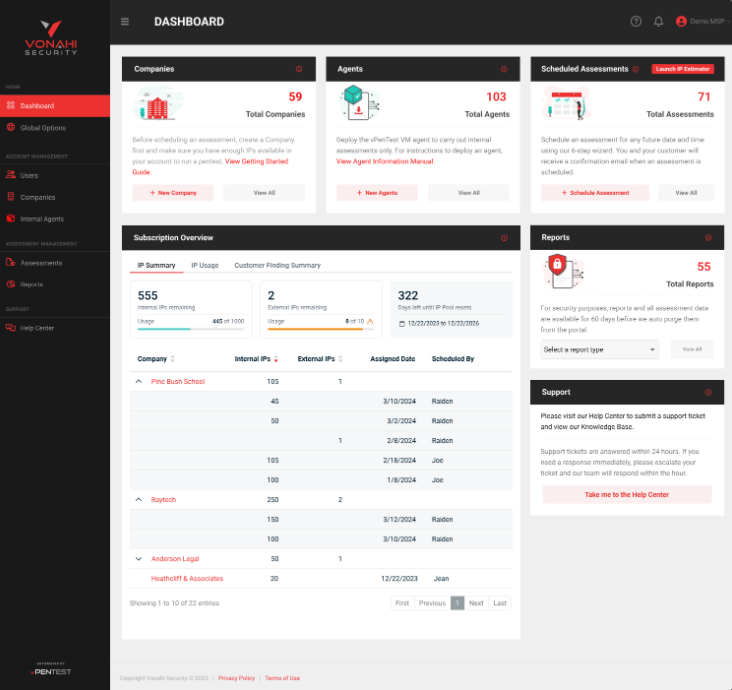
New dashboard for partners on the latest MSP Platform Subscription
-
New dashboard that lets partners see how many internal and external IPs are available in their subscription and when those IPs will reset
-
An expandable IP Summary table that partners can track by company: # of IPs assigned, date assigned, and the user that scheduled it.
-
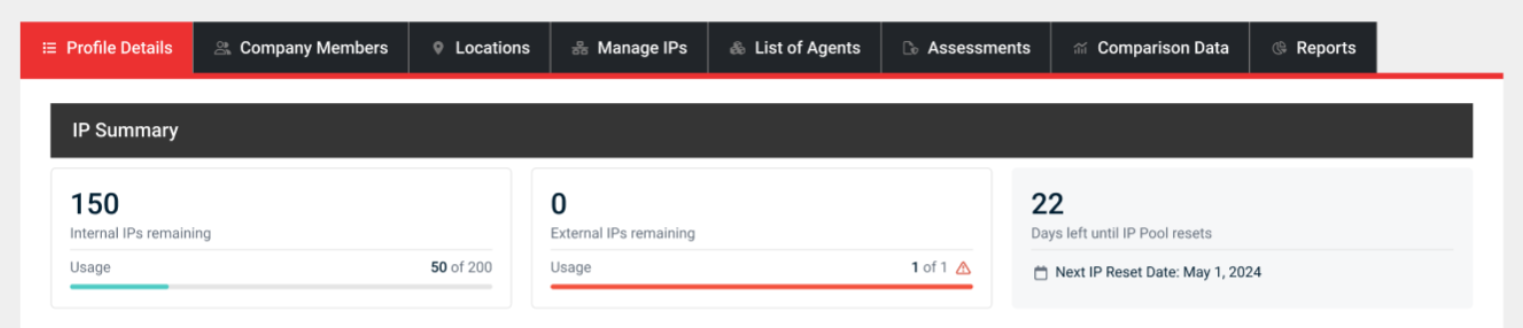
In the Company Profile page, new IP Summary Stats are added at the top so partners can track monthly IP usage for a specific company.
-
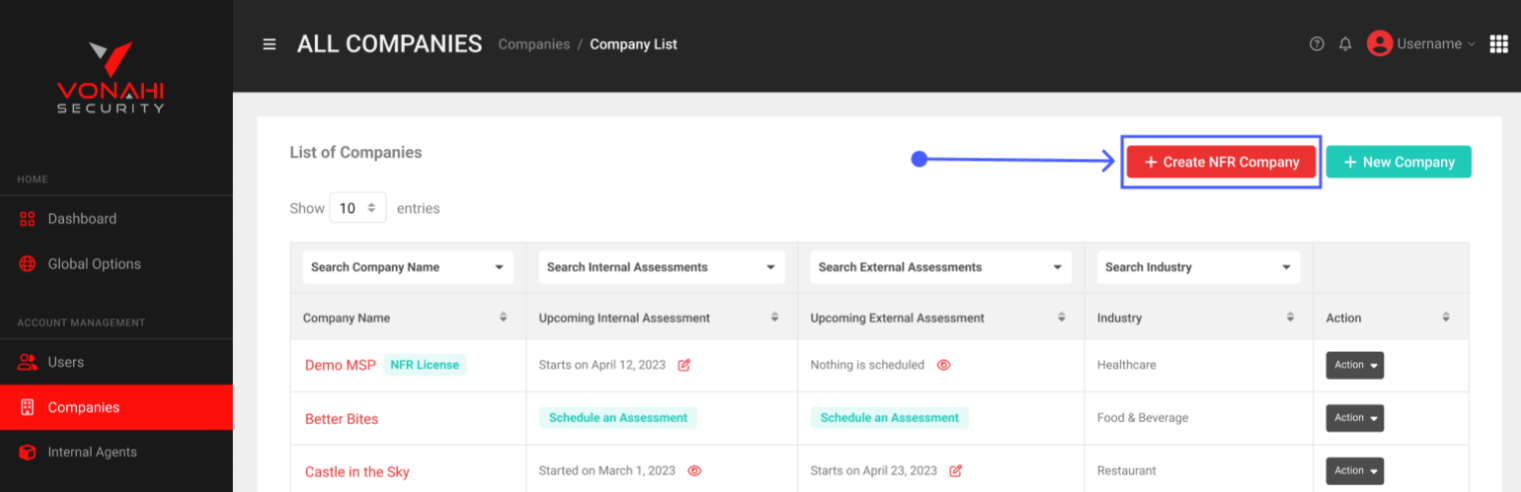
+ Create NRF Company button added to the Companies page for partners to easily use it internally for their business
Fixes
| Description |
|---|
| Fixed issue with company IP address not being updated properly |
| Creating pentest findings from the Assessment page should now work |
| Fixed issue with sorting company IP address |
| Fixed issues with Login form in vPenTest triggering incorrect URL after navigating back from SSO flow |
| Editing a schedule should no longer cause a redirect issue |
| Fixed data table bug in Managed IPs tab |
| Fixed duplicate start dates in Summary step of Scheduling Wizard |
| Modified notification email when reports are ready |
| Fixed issue with data tables losing focus when typing in the filter input |
| Exclusion icons in IP Addresses & Ranges pop-up on Assessment page are properly color coded again |
| Fixed issue with company list showing behind the pop-up in the Edit Agent form |
| Fixed issues with IP exclusions not working |


