vPenTest release notes: September 11, 2025
This release focuses on some enhancements and fixes.
Enhancements
User deletion improvements
If a user had schedules or notifications related to their account, a new pop-up will allow you to switch who should be related to those schedules or notifications instead of having to do that manually.
-
If user did not have any schedules or notifications related, you can delete them as before.
-
Since at least one user must be related to schedules or notifications, if only one user is on your account you will not be able to delete that user and a message explaining this appears.
Improved experience when searching for assessments
-
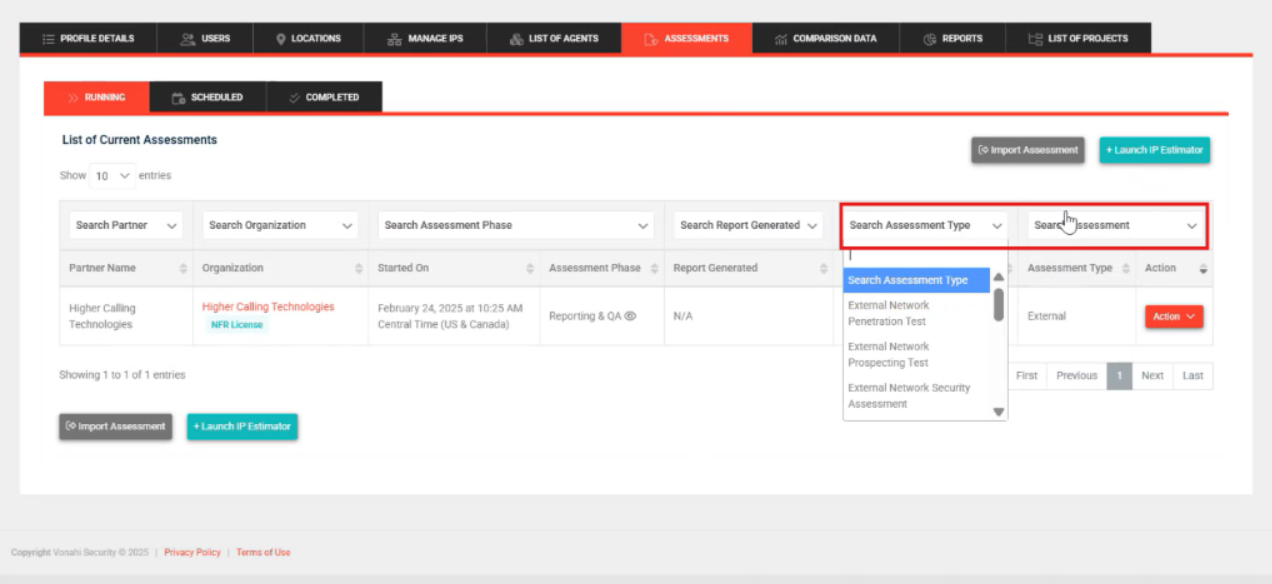
Organizational Page, Assessments Tab:
-
Running Tab: Swapped 'Search Assessment' and 'Search Assessment Type' to better reflect the options in filter.
-
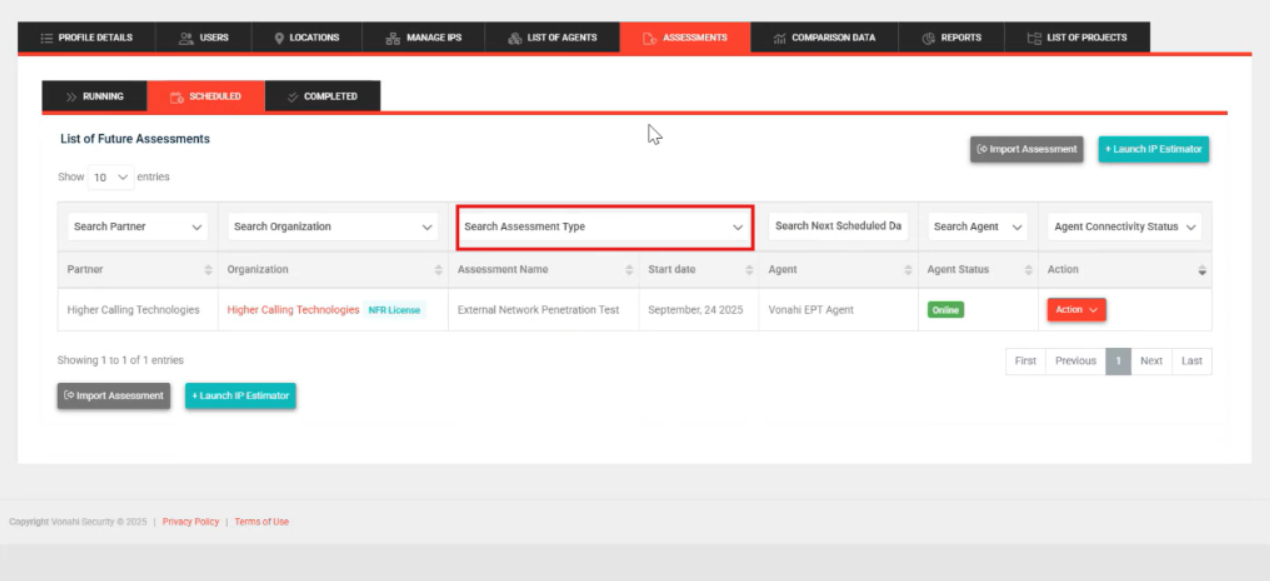
Scheduled and Completed Tabs: Renamed Search Assessment to Search Assessment Type to better reflect options in the filter.
Terminology
To align terminology across all Kaseya modules for a unified user experience, we updated the term Company to Organization on the Invited Users tab and when editing a user's profile.
Fixes
| Category | Description |
|---|---|
| 'New company user' invite email: | Fixed a bug causing the company name instead of the partner name to appear at the bottom of the email under 'Regards'. |
| DNS poisoning | Fixed a bug causing users to not be able to enter '0' for DNS poisoning to enable smart throttling in the advanced assessment settings. |
| Primary contact | Fixed a bug that was giving a 'success' message when a user who was the only primary contact tried to remove it. Now, you will be explained that you need to assign primary contact to another user before you can remove it. |
| Prospecting assessments | For partners on our IP Pool licensing model, we fixed a bug that prevented partners from being able to schedule prospecting scans. |


