vPenTest release notes: July 30, 2024
New feature
Prospecting Test for MSPs
Overview
The Prospecting Test feature enables MSPs to evaluate potential clients' network security using our pentest methodology. It delivers a Pentest Evaluation Summary Report that includes findings by criticality, business impact, and includes remediation steps. The report will not pass as a pentest and instead designed to use as a way to present security risks to a prospect.
Benefits
-
Included with the base subscription of the IP Pool pricing model
-
20 Prospecting Tests per month
-
Run external or internal Prospecting Tests with no IP limitations.
How it works
-
Select external or internal Prospecting Test in Step 1 of the Scheduling Wizard.
-
Everything will work similar to a pentest, except the prospecting test will skip our standard QA process, and partners cannot track the test in the platform.
-
An internal agent is still needed for an internal prospecting test.
-
When the test is complete, you will get one Pentest Evaluation Summary Report.
Enhancements
UI
We updated the UI on the report pop-up to make it more user friendly and cleaner.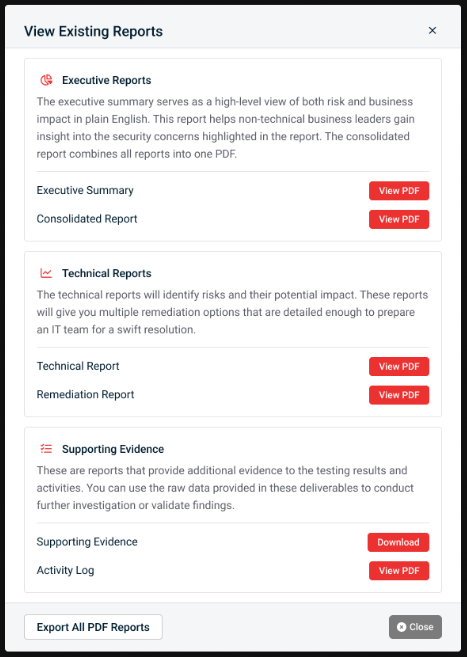
Here's how it looked before: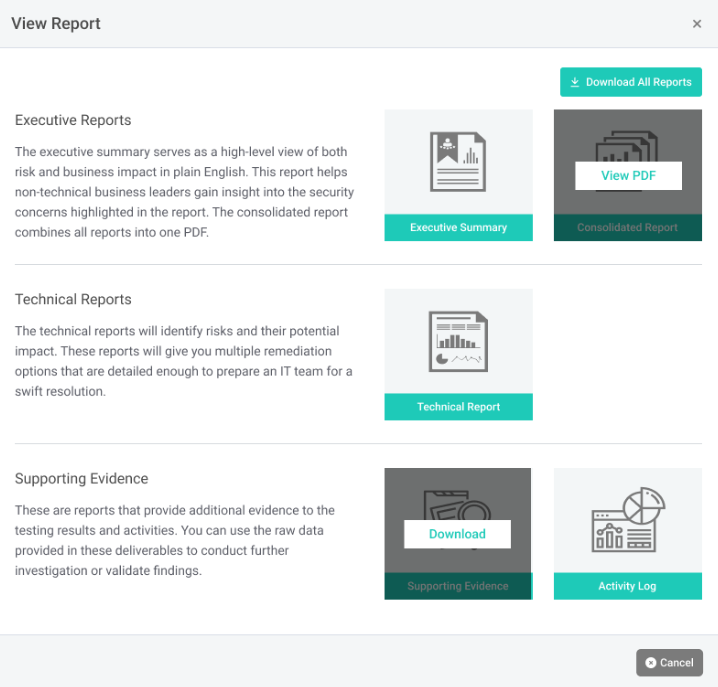
Advanced Settings feature
Made an enhancement to the Advanced Settings to display a warning message below each field in the "Allow password guessing attempts" section when users set a value that we consider extremely risky.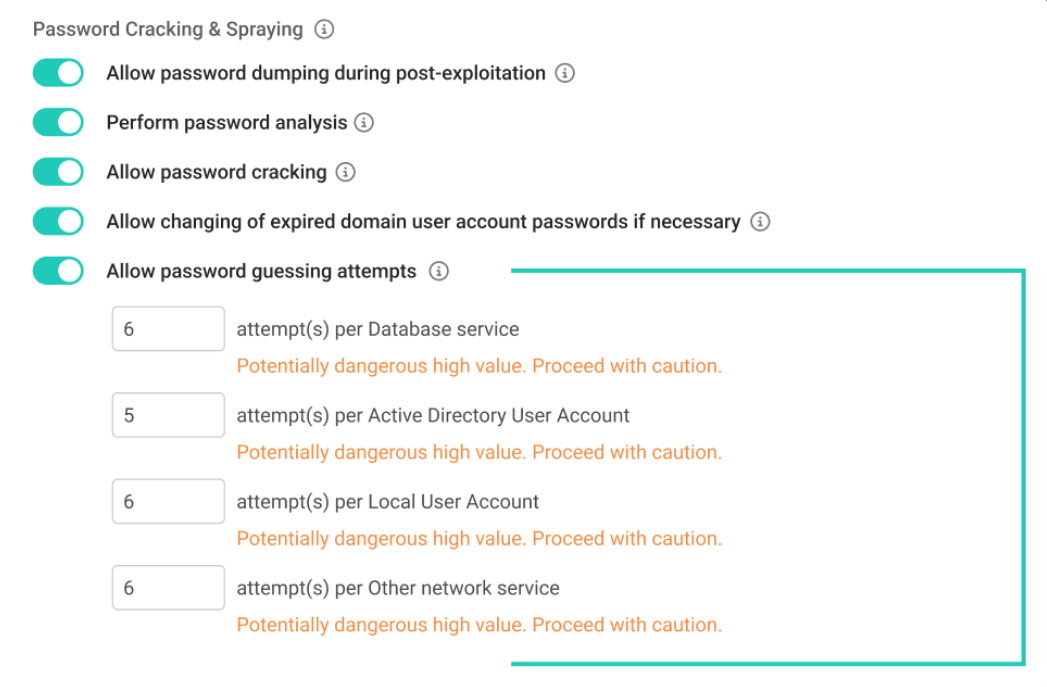
Fixes
| Description |
|---|
| Removed extra table column in Opened Ports tab of Assessment Details dashboard |
| Fixed issue where users can't use email-based 2FA if user already selected SMS authentication |
| Fixed typo in IP Ranges step in scheduling wizard |
| Fixed issue where severity in Discovered Vulnerabilities table was inconsistent with Vulnerability Findings section in the Vulnerability Report |
| Made some backend security improvements |
| Restricted the height/width of Vonahi logo in email notifications |
| Updated the text in the IP Estimator pop-up to be more clear |
| Fixed issue where WalkMe icon wasn't sticking to the top navigation |
| Updated Help Center link in the side nav to point to Vonahi's KB |
| Fixed IP Summary chart to show correct IPs used and IP reset date for MSP partners on legacy IP block model |
| Fixed loading loop issue in the Scheduling Wizard when users are excluding IPs on an internal assessment or importing IPs from a CSV |
| Fixed issue where users can't disable VulScan integration |
| Fixed issue in the Scheduling Wizard where IP exclusions work with IP ranges that are expressed in CIDR notation, but not if they're expressed as a range |


