vPenTest release notes: June 3, 2025
This release includes a new AI feature, bug fixes, enhancements, and security improvements.
New feature
NEW: AI Enhanced Executive Summary Report
This is a beta feature in the Assessment Scheduling Wizard that gives MSP and MME users the option to include an additional AI-Enhanced Executive Summary report that leverages AI to provide:
-
Greater context around the outcomes of the assessment
-
A clearer breakdown of key activities performed at a high level
-
A more insightful view into the strengths and areas of concern in the tested network environment
This AI-powered report is crafted to help decision-makers, stakeholders, and non-technical readers better understand the assessment's overall implications.
Below is a side-by-side comparison between the regular version vs AI-enhanced version: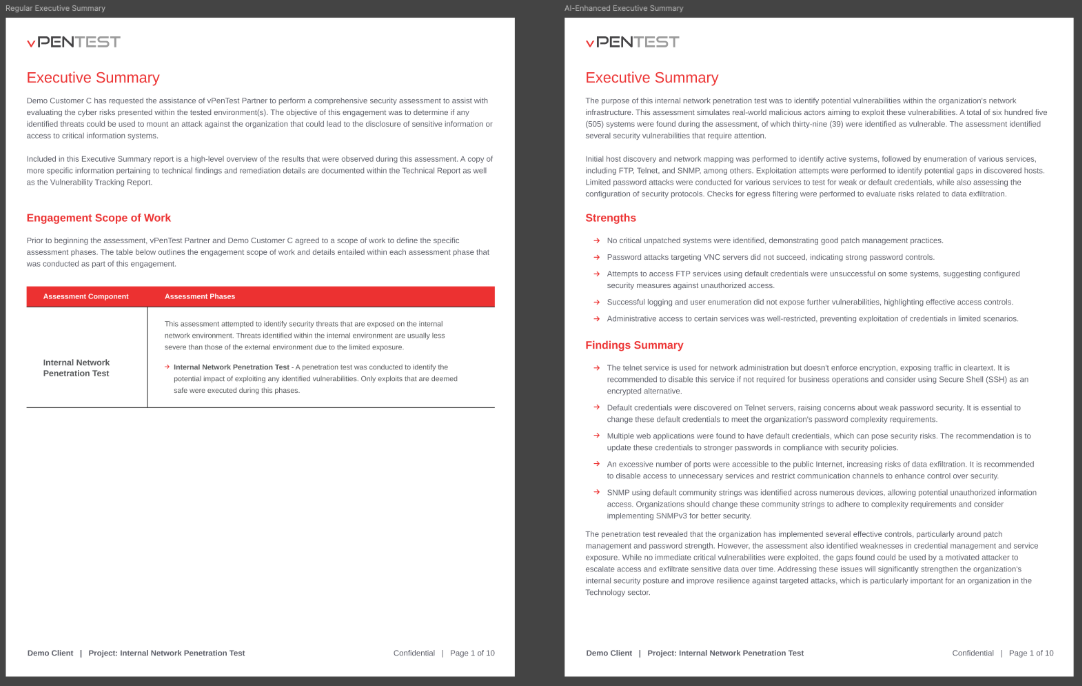
Enhancement
Login
Implemented a warning message on the Log in screen when users submit invalid credentials. This UI enhancement makes it clear and easy for users to understand why log-in attempts fail.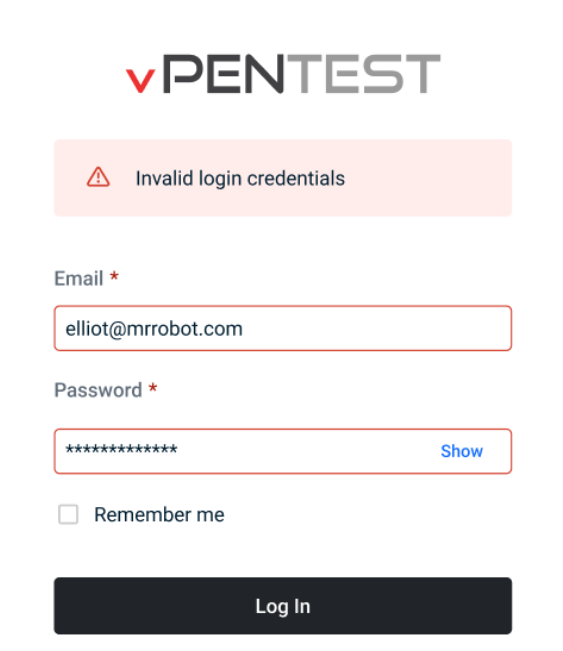
Fixes
| Category | Description |
|---|---|
| Scheduling Wizard > IP Ranges step | Fixed an issue where users could enter an invalid IP range using "X" as the last octet (e.g., 192.168.1.X) in the Include/Exclude IP fields when scheduling an assessment. This caused tests to fail. We've resolved the issue and also updated the section description for improved clarity.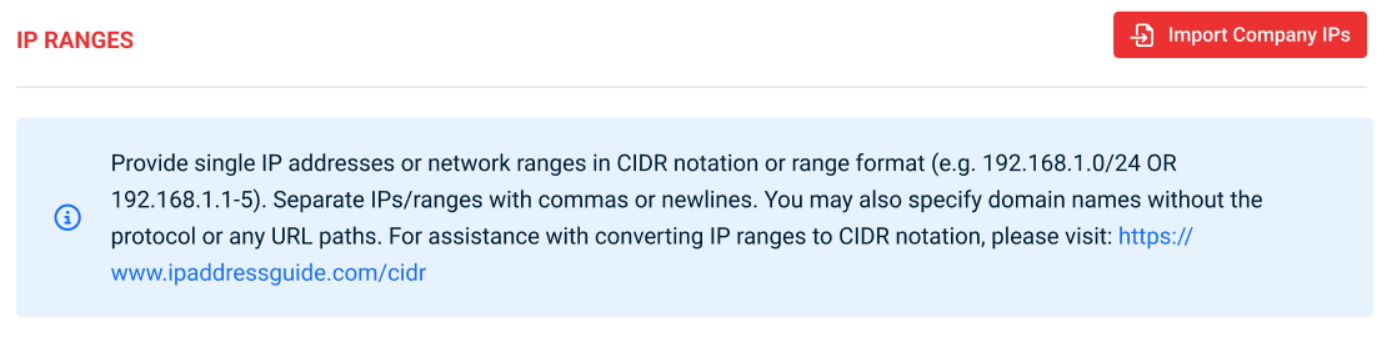 |
| Email Notifications |
|
| Assessment Dashboard | Fixed an issue where the Pending Delete button appeared incorrectly after users updated the scanning time outside of the same-day window. Now, the button only appears when an assessment is explicitly canceled using the Cancel Assessment option in the UI. |
| Edit Company Form | Fixed an issue where users could delete all domains from a company record, which caused a backend error. We’ve added proper validation to ensure that at least one domain is always present when editing a company. |


